Live show management
Run your dream show effortlessly.
Performers sign up, you shape the running order as you go. And the whole room sees who's currently on stage and which act is on next – both on their own phones and on venue TVs. The result? Happy performers, thrilled audiences, and the smoothest running show you've ever hosted.
14 day free trial, then plans from $9/month. Cancel any time.

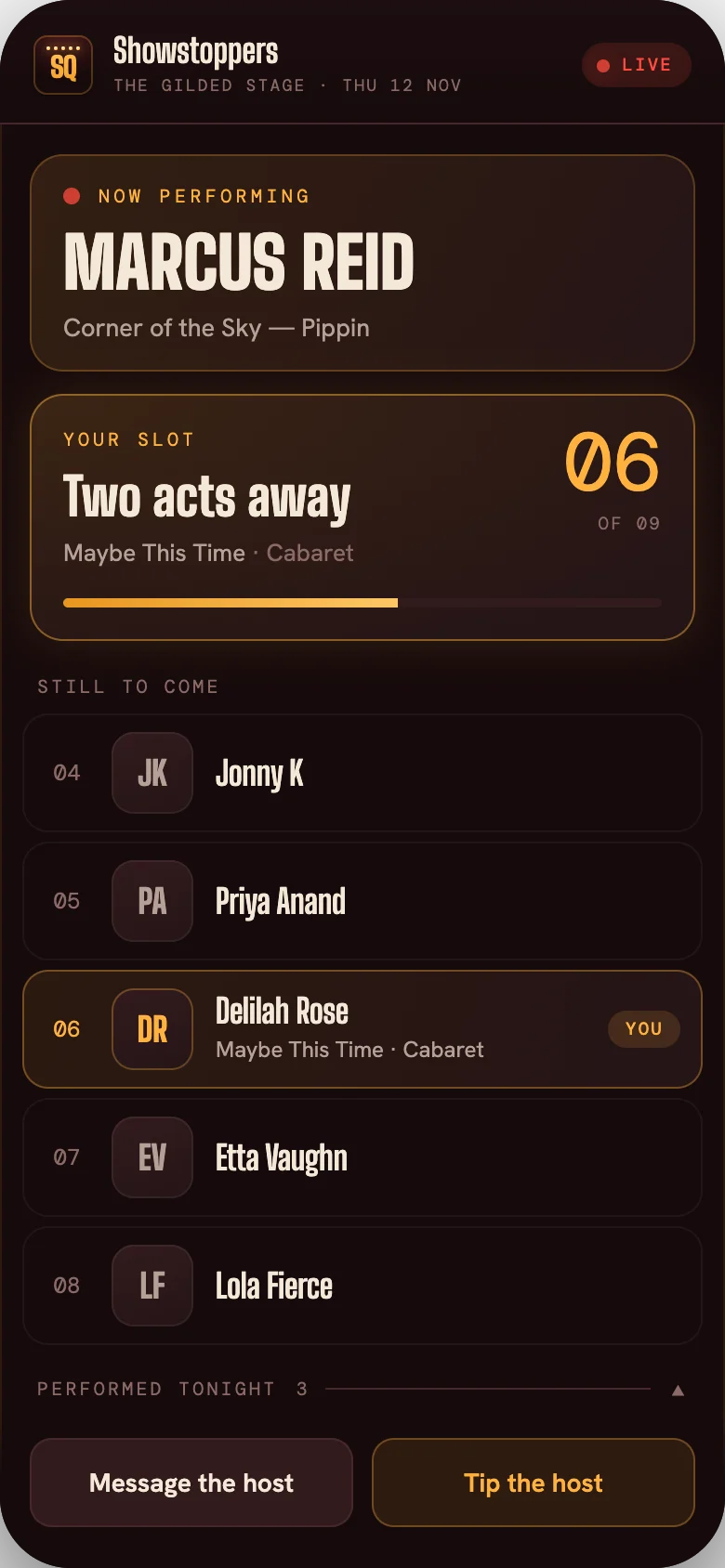
Front Row: the performer's phone
Performers sign up by QR code, pick a song from your songbook or send you their own sheet music. They can follow the show live, and instantly know their place in the running order.
Explore Front Row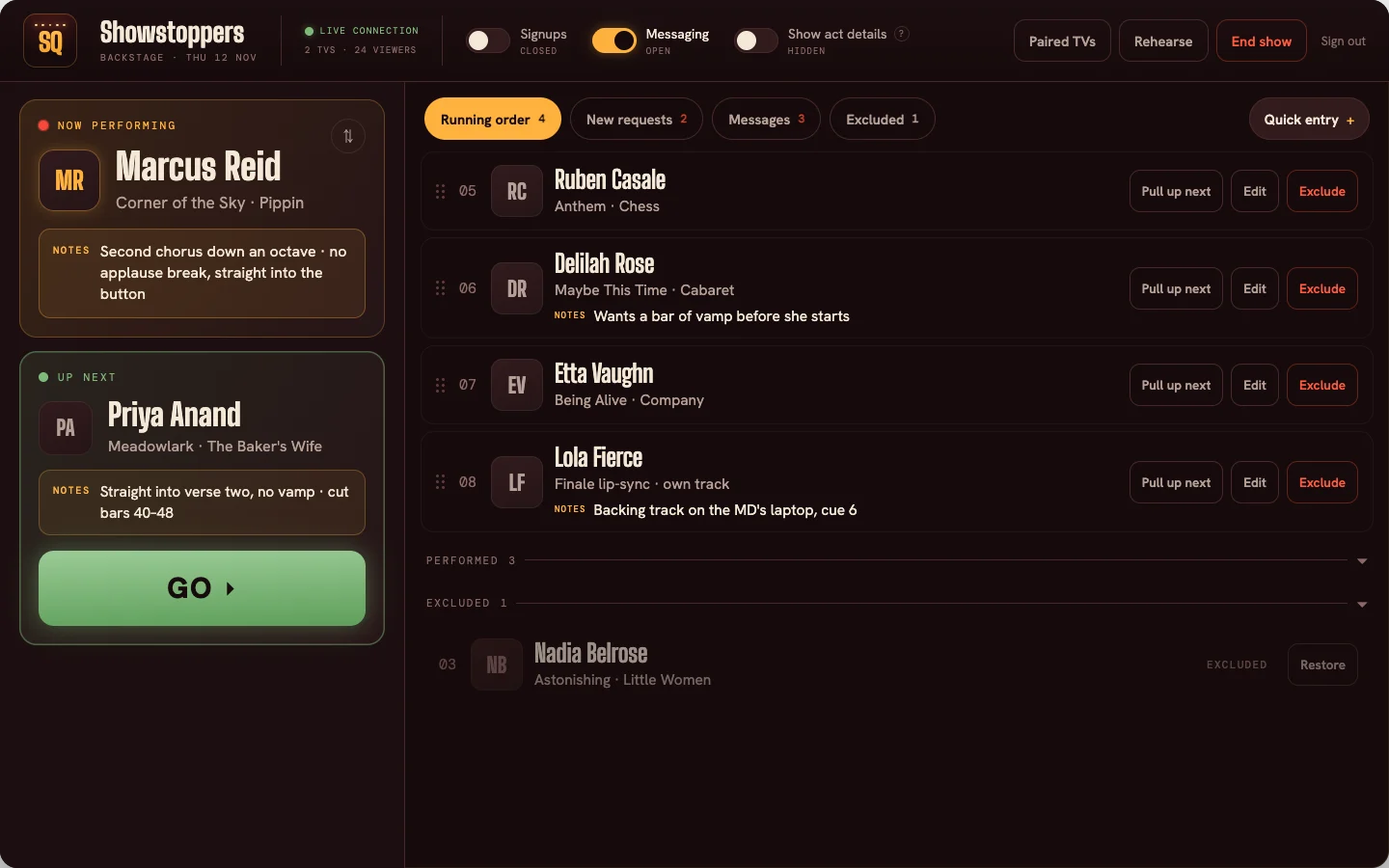
Backstage: the host's view
Shape the running order for the show, review new sign-ups, mark who's on, monitor private messaging – all from a laptop, tablet, or phone on stage or in the wings.
Explore BackstageBig Screen: your show on TVs
If your venue has smart TVs, pair them quickly with a code. The room sees who's on now and who's next on the Big Screen interface, plus the QR to sign up if they wish to perform.
Four steps
How a show runs on StageQueue
- 01
Acts sign up
Performers scan the QR code, either choose from your songbook or upload their own sheet music, and get a confirmation with a private link to change their song until curtain up.
- 02
You craft the show
You review what came in, confirm keys and material, and set the running order before the show – or let it build in order as people sign up.
- 03
Run it live
Go live from Backstage; the audience sees who's performing and what's on next on their phones (Front Row) and on TVs (Big Screen); new sign-ups land in your review queue, never straight on the screen.
- 04
Wrap it up
When you end the show, everyone who helped host the show gets the wrap-up: who performed, who didn't, peak viewers, and the full running order.
Show styles
StageQueue has every type of live performance covered
Cabaret and musical-theater revues
This is the room that StageQueue was actually built in! A songbook with sheet music on file, a reviewed running order, and the whole room eagerly watching who's next to take the stage.
Open mics and showcases
Walk-up sign-ups, a fair and transparent running order for performers, a screen everyone can see.
Drag shows, galas and talent shows
Enter the acts, set the order, add the cues – then the room sees who's on while you run the show.
Recitals and juries
A set order, “who's next” for families, the accompanist's music all in one place.
Audition days
The sign-in line, the holding room's “who's next”, the day's attendance sheet.
Piano bars and requests
Requests from your songbook, ready with the correct key and music that the pianist actually plays from.
Starter · Pro · Venue
Everything you need to run the best shows
Starter
Get started$9a month
Everything you need to get started on StageQueue.
- Simultaneous live shows1
- Max shows open for signups2
- Songbooks1
- Themes1, Marquee
- Staff1 — You
Explore plans14-day trial · cancel any time
Pro
Hosting regular shows$19a month
For those running regular, more complex shows.
- Simultaneous live shows2
- Max shows open for signupsUnlimited
- Songbooks3
- ThemesChoice of themes
- Staff3 — You + 2 hosts
Explore plans14-day trial · cancel any time
Venue
For arts organizations$79a month
Unlimited shows and staff, with different hosts assigned per show.
- Simultaneous live showsUnlimited
- Max shows open for signupsUnlimited
- SongbooksUnlimited
- ThemesChoice of themes
- StaffUnlimited
Explore plans14-day trial · cancel any time
FAQs
Frequently asked questions
No. The QR code opens Front Row in a web browser; their place in the running order updates live.
It lands in your review queue in Backstage; nothing reaches the screen until you approve it.
Yes! Backstage and Admin portals allow you to easily craft a show yourself from scratch.
Never. A live show finishes regardless of what happens to the subscription.
Compare plansThis was an intriguing use case for the StageQueue team. Firstly, StageQueue isn't a karaoke player. If you need a backing-track catalog and singer rotation, there are plenty of platforms that already do a great job of that. If you're looking to manage performer signups and deliver an impressive audience experience, StageQueue can help you run the best karaoke shows!
Yes, you can bring your own domain on Pro and Venue if you wish to. All customers get their own subdomain.stagequeue.app area.