Most guides to hosting an open mic cover the venue, the PA and the posters, then wave at "have a sign-up sheet" and move on. That is the wrong way round. What decides whether performers come back is how people get on the list, how the order is decided and shared, if they had a good time, and whether the show ends when you said it would. If you are hosting an open mic for the first time, or have taken over one that is limping, get this part right in the week before the show.
The guides that rank for this question default to a paper list on a table, first come first served, sometimes a hat draw. This post is about running the list well, whatever you run it on. Where StageQueue does that thing today, we say so in a short passage that you can skip if you prefer.
1. Decide what kind of open mic it is (walk-up, pre-booked or mixed)
There are three common formats.
- Walk-up. The list opens at the door, in person, and the order is the order in which people arrived. Its weakness is the regular who turns up at 6:30 for an 8:00 start, and the newcomer at 7:55 who finds the list already full. Laugh Factory Hollywood runs a version of this: "Sign-up starts at 5:00 p.m. via a QR code at the door," and then "The lineup is picked entirely at random using a lottery system."
- Pre-booked. Performers claim a slot in advance. The weakness is the DM or text message. Once slots can be had by messaging the host, the people who know the host get them, and the room will notice over time.
- Mixed. Most slots claimed in advance, two or three held for walk-ups, and a published rule about which is which.
Pick one. Put it on the poster and say it from the mic at the top of the show. A format performers can predict is most of the answer to "how does an open mic work".
On StageQueue. A show takes sign-ups ahead of time through the Front Row audience/performer interface and walk-ups on the day from the same QR code, and a host can add someone on the spot with Quick Entry. Which mix you run is your rule.
2. The sign-up: when it opens, where, and what you ask for
When. Name an opening time where possible (for both signups and top-of-show) and keep it. "Sign-up opens at 7:00 on the night, the show starts at 7:30" is a rule; "get here early" is a hint. The Bandzoogle guide describes a show that made everyone sign up in person 30 minutes ahead, after regulars had been claiming spots by message and newcomers were turned away by a full list.
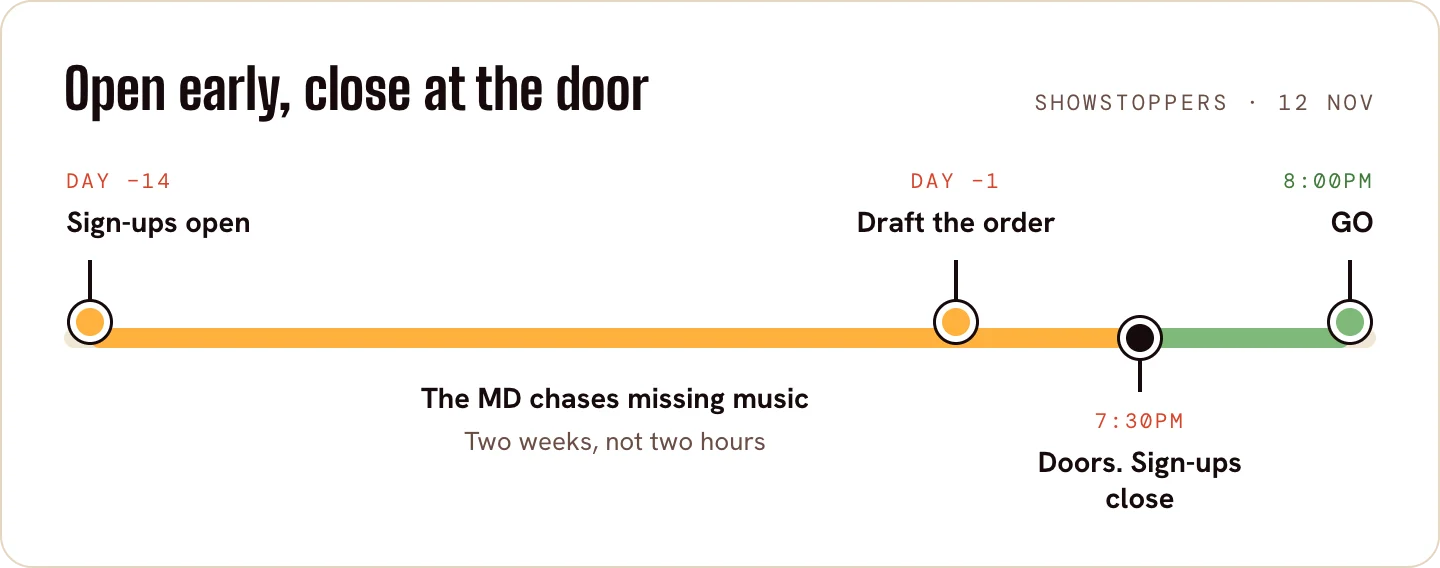
Where. A sign-up sheet by the door works, if someone is watching it. A QR code on the door and the tables works, if what it opens is quick on a phone.
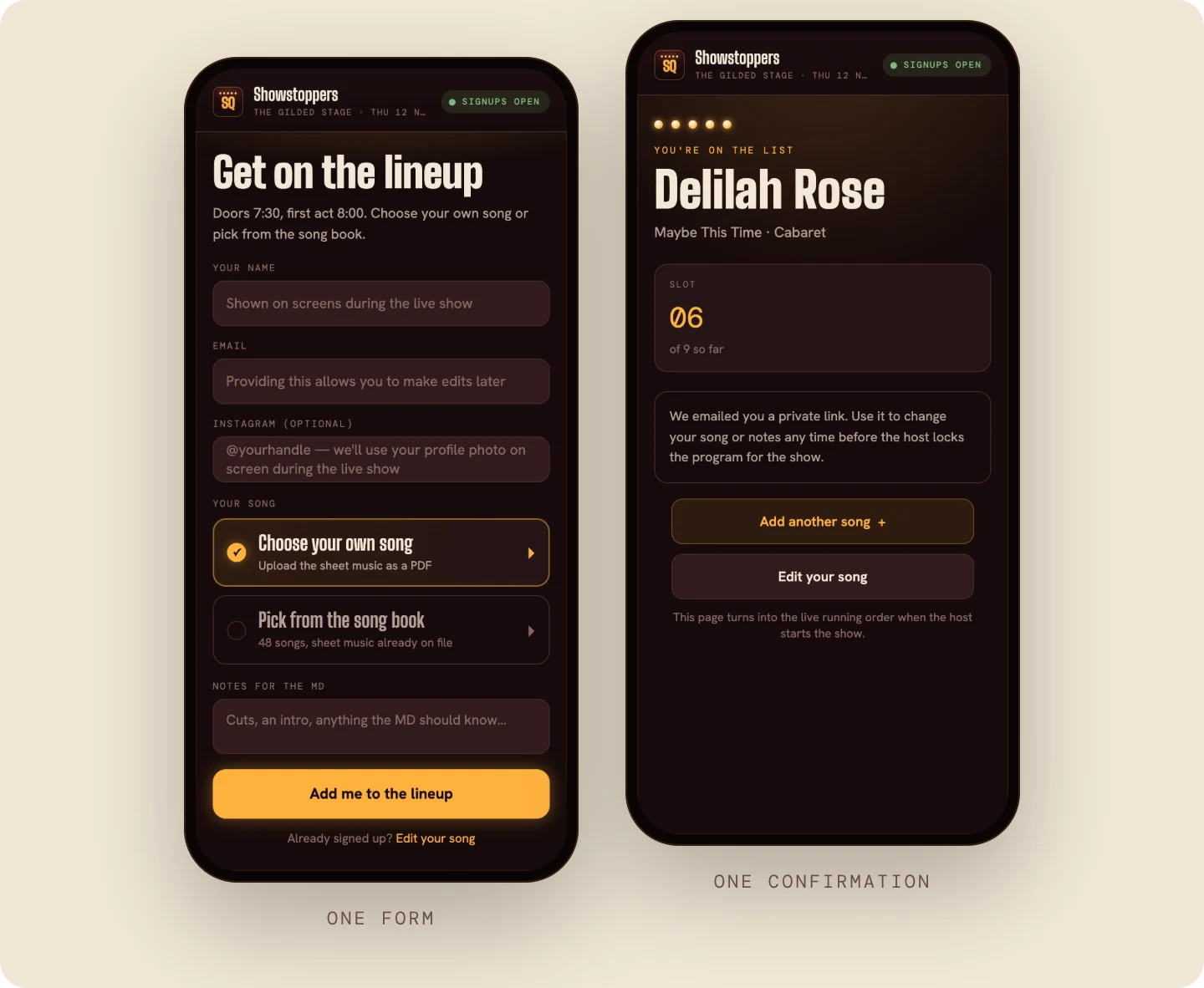
What you ask for. Less than you might think. A name as they want it read out, a way to reach them that evening, and what they are doing: song and artist, or "poem", or "five minutes of stand-up". For a show with an accompanist, add the key and set expectations on whether they should bring sheet music.
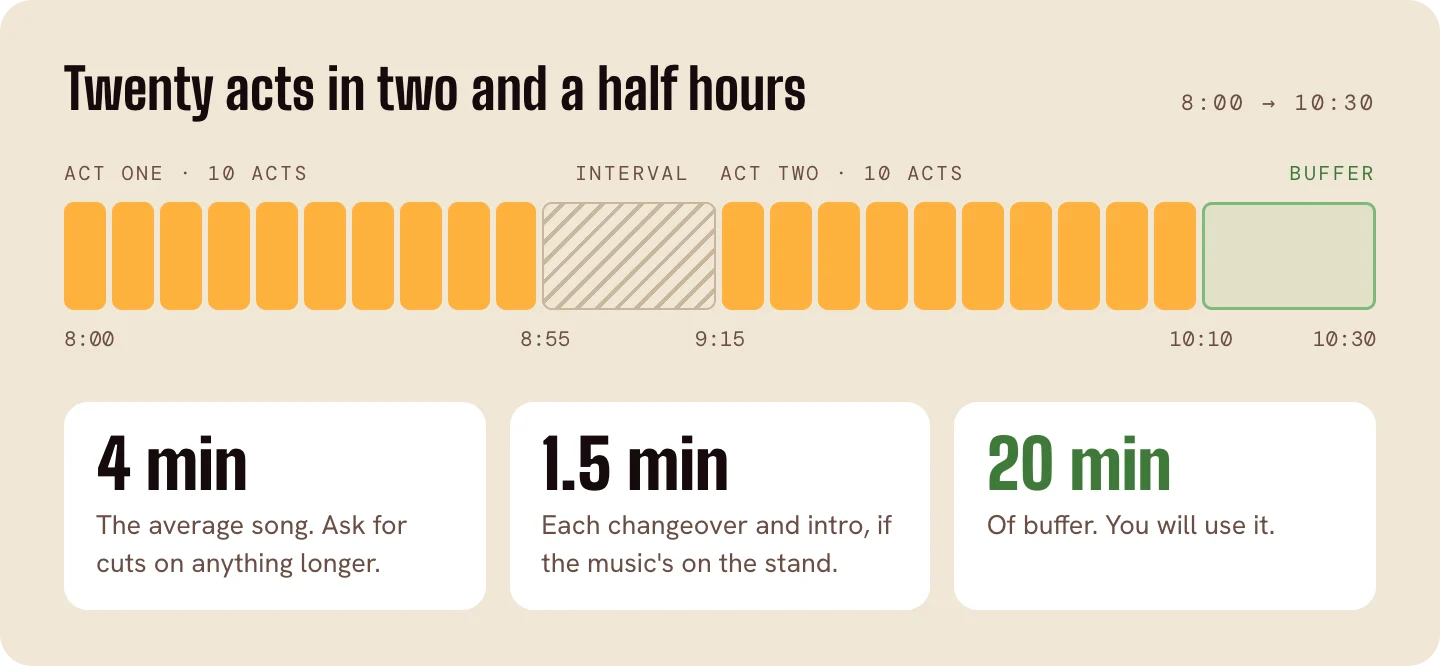
Decide how many slots there are, too. Three hours of stage time at five minutes a set plus a two-minute changeover is about 25 performers; at ten minutes a set it is 15. Write the number on the sheet.
On StageQueue. Each show has one QR code. It opens up Front Row (the show's sign-up page) in the phone's browser, with no app to download. The performer gives a name, picks a song from your songbook or uploads their sheet music as a PDF, and gets a confirmation email with a private link to change their song or step out later.
3. Set the order, and say how you set it
Whatever you do with the list, do it in the open. A performer who waits ninety minutes will accept it if they knew it was ninety minutes when they signed up. Perfect Sound Forever's piece on open mics (Danny Martin, August 2017) puts the performer's side plainly:
it can be frustrating to have to spend 2 hours or more just waiting to play a few minutes
On the MusicPlayer forum, a new host's idea to "maybe let people you already know jump the list" drew the reply "Nothing at a jam pisses me off worse than this."
There are three ways to set an order, and each is fine as long as it is stated:
- First come, first served. The list is the order. Add a cap on repeats: the Arts Council of York County's open mic in Rock Hill, South Carolina, lets each performer hold one slot at a time until everyone on the list has had a turn.
- A draw. Names from a hat at a fixed time, which takes the early-arrival race out of the evening. The Folk Alliance Region Midwest conference open mic draws every name at the start, and if a name drawn is not in the room, another is drawn. A hat still works.
- Curated. The host shapes the order: a strong opener, a mix of styles, a closer who will hold the room. This is how a cabaret or a musical-theater open mic usually runs, and it most needs the rule said aloud, because "the host decides" looks like favoritism until you say what you are deciding for.
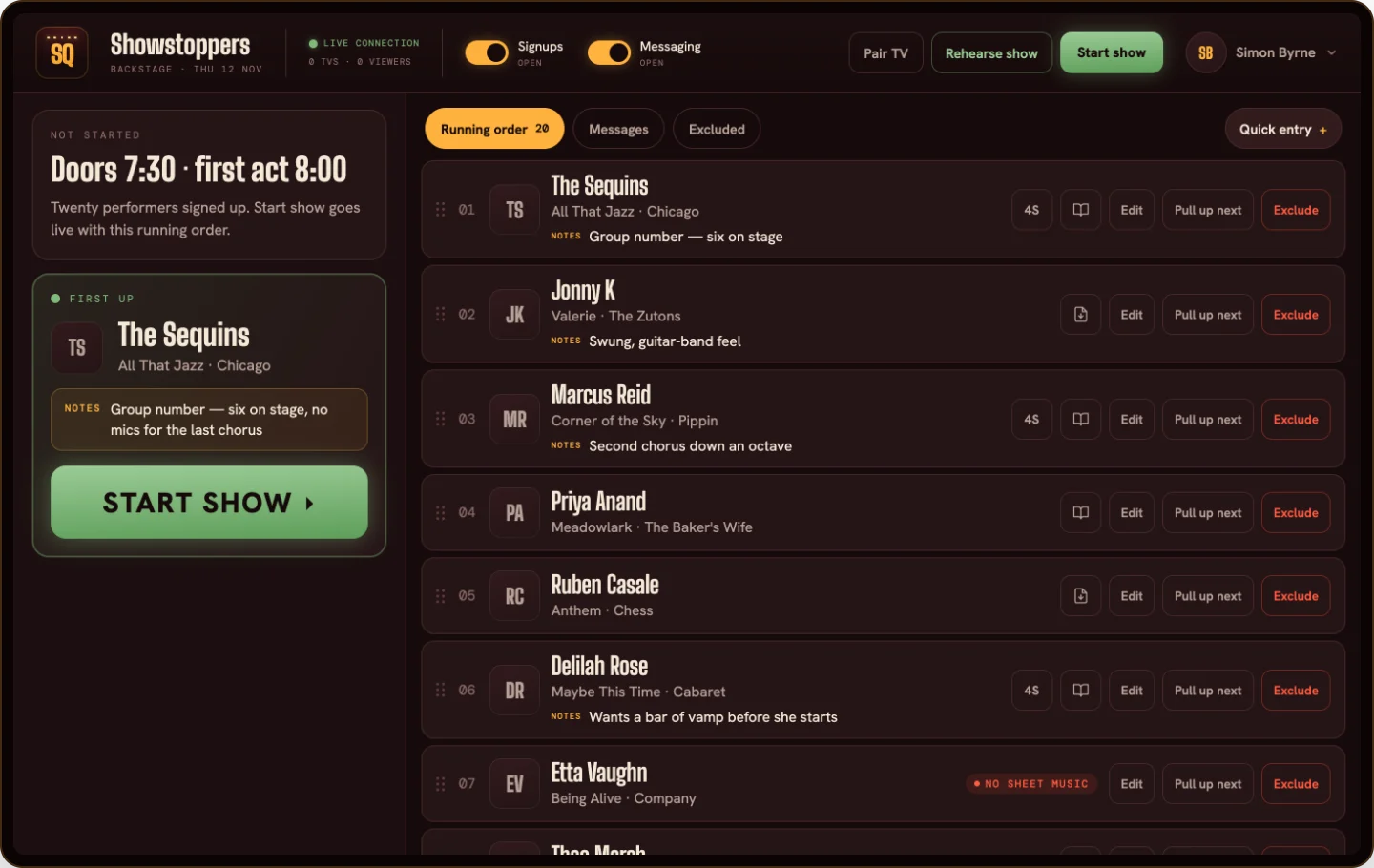
On StageQueue. In Backstage, the host's console, sign-ups arrive in a running order you can drag into shape before the show, send to the top or bottom, or move to Up Next; exclude a sign-up and restore it later. The order you set is the order the room sees. Backstage runs on a laptop, tablet or smartphone.
4. Show the room who's next
"When am I on?" is the question that eats a host's evening. The answer is a list the room can read without asking.
At a small show that is the sheet on the table with a line through each name; at a bigger one, a whiteboard by the stage. Both are in one place, and the performer waiting at the bar cannot see them. A list visible from every seat stops the questions, lets the next two acts get ready without being chased, and makes the order visibly fair. If the venue has a screen over the bar that nobody uses during the show, use it.
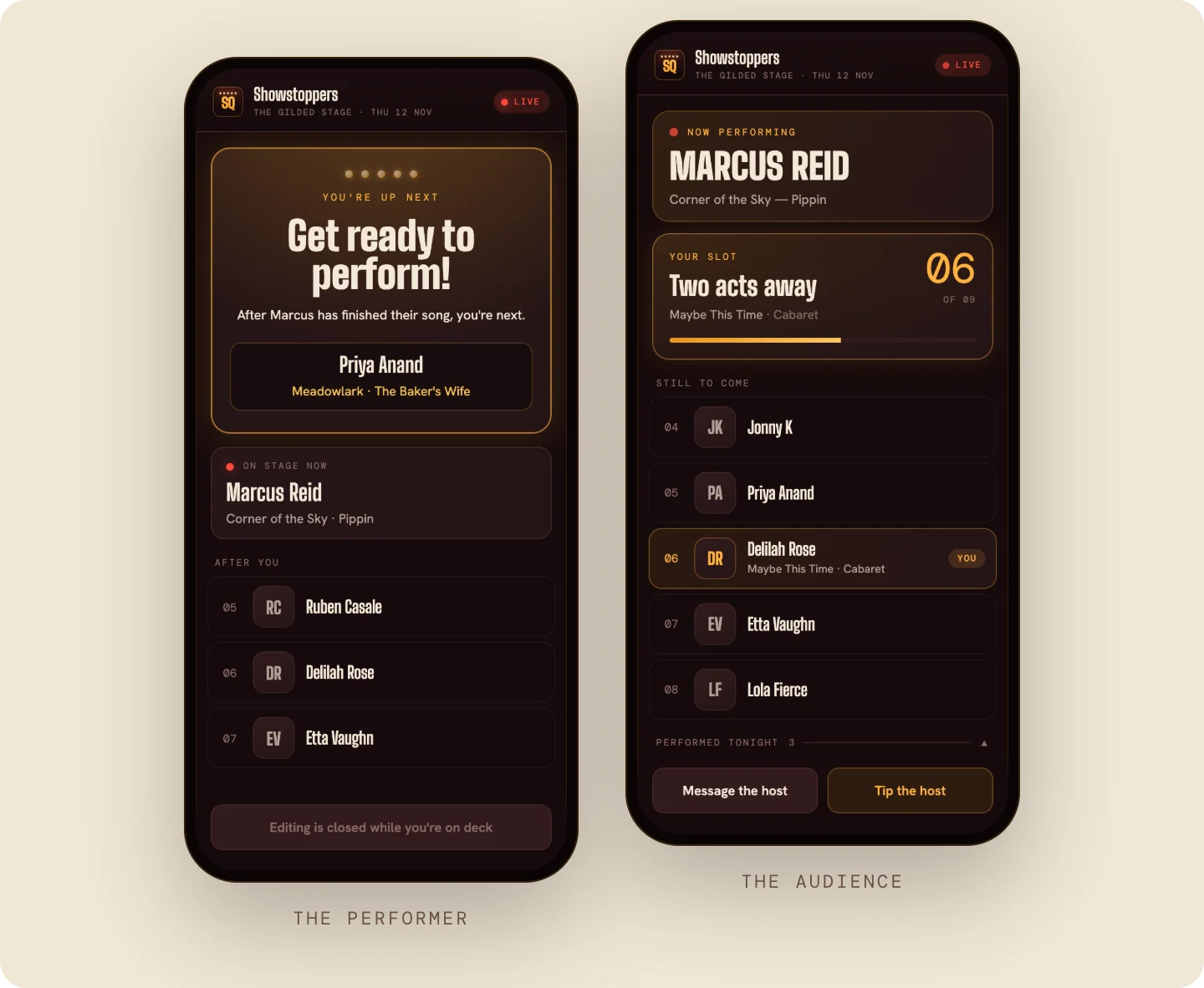
On StageQueue. Once you start the show, the running order is live on every performer's phone (Front Row) and on any TV in the room (our Big Screen interface) with a web browser (I personally run Big Screen on Fire TV sticks), paired with a five-digit code. Big Screen shows who is performing and who is next. Move an act around in Backstage, and every phone and screen changes with it instantly.

5. Keep time without being the bad guy
Time limits are only kind if they are enforced from the first act, because the alternative is the last three acts playing to a room that has gone home. The guides that rank for this question land in the same place: two or three songs, or ten minutes, whichever comes first, for a music open mic; five minutes with a light at four for comedy; and changeovers should ideally complete within two minutes.
Move the enforcement off your personality and onto the rule:
- Say the limit from the mic at the top, and again as you introduce each act. "Two songs or ten minutes, and I'll wave at eight."
- Give the warning before the cut. The Rock Hill host gives "a one-minute warning to help you wrap up your final piece if you begin to run long." A raised hand from the back from the host is usually enough.
- Count the changeover as stage time. Tuning and a long introduction come out of the ten minutes; have the next act ready at the side.
On StageQueue. Backstage shows an elapsed clock on the Now performing card, and once an act passes your limit the card turns red with a "Running long" flag. The limit is yours to set in our Admin portal, from one to thirty minutes, or you can switch it off completely. Nothing about it reaches the audience interfaces, Big Screen or Front Row; it is a nudge for the host, not a public clock.
6. Late arrivals and no-shows
Two things will happen at every show. Someone will sign up after you have started, and someone on the list will not be there when you call them. Decide both in advance.
Late sign-ups. If the list is full, say so and offer the waiting list, with the rule that its names go on only if a slot opens. And a late name never goes straight onto a public list without you looking at it first: wrong spellings, duplicates and the joke name a table of friends thought was funny are all things the whole room sees or hears. Read first, then add.
No-shows. Call the name twice, then move to the next act and put the absent name at the bottom of the list, not out of the show. Keep a performer or two in reserve who is happy to do the unexpected and go on early.
On StageQueue. A sign-up in Front Row that arrives after you've started the show goes into a review queue in Backstage, not onto the screen. You add it to the running order or exclude it; until then the room sees nothing. More in What to do with sign-ups that arrive after the show starts.
7. After the show: who performed, who didn't, and next time
The last job is the one most hosts skip. Before you pack up, write down three lists: who performed, who signed up but never got on, and who you turned away. The second list is your potential opening slots for next time; offer them first to the people who waited and did not perform. Then look at the clock: if you finished thirty minutes late, it is almost always the changeovers rather than the sets.
Tell people the next date before they leave. A show that is the same place, the same time, with the same rules, is the one performers plan around.
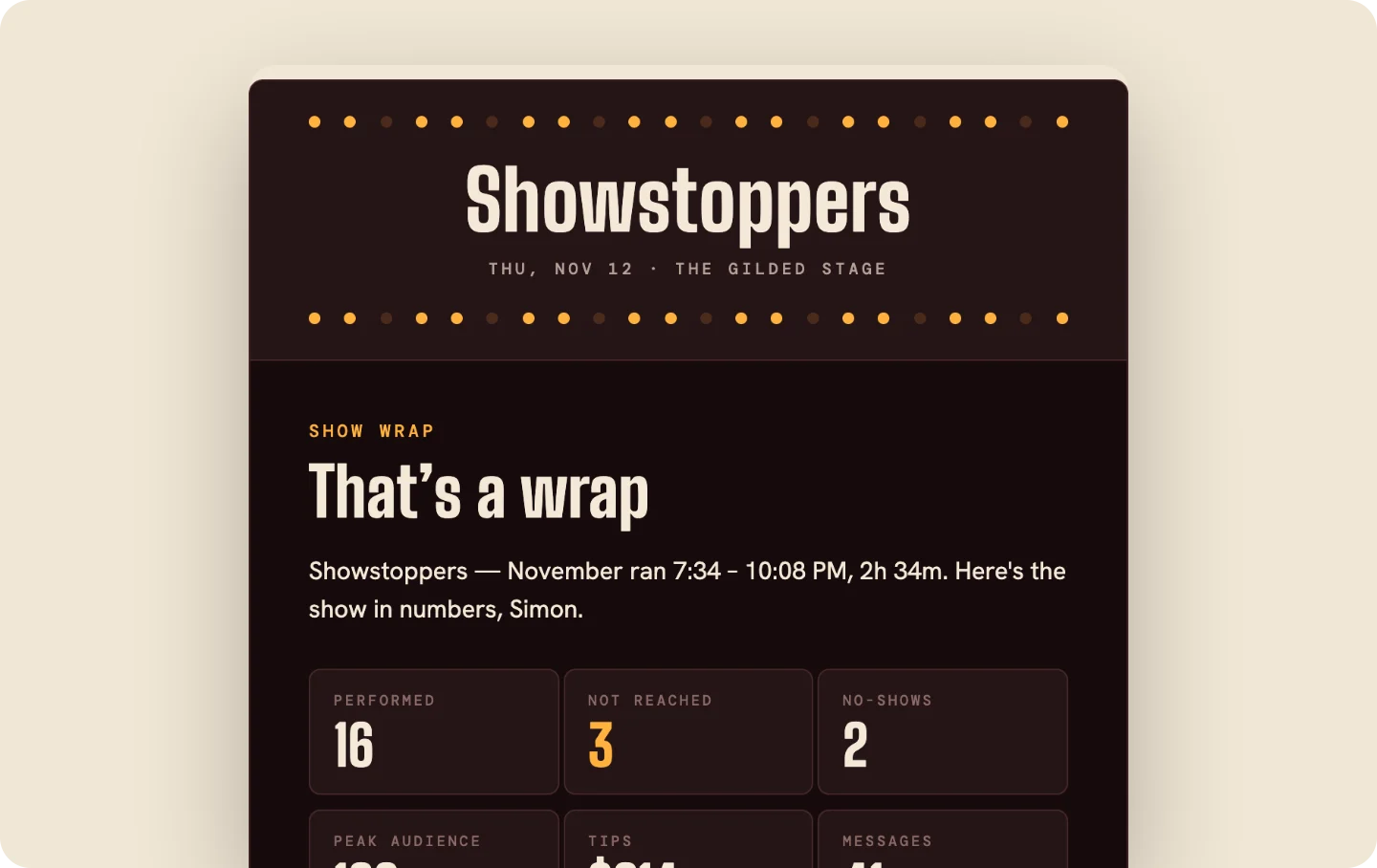
On StageQueue. When you end the show, the show's staff get a show wrap by email (anyone can opt out): who performed, who was not reached, who was excluded, the peak audience, and the full running order as it ran.
The list, the order and the clock are one system, and the room can tell when they are working well together. Performers and punters will come back if they have a great time at a well-organized show. This guide is written from my experiences at the piano at Out Night, a cabaret at North Shore Music Theatre, where the same three problems turn up with twenty to thirty-five performers a show, and the fix is the same: say the rule, show the list, keep the time.
If you'd rather the sign-up sheet, the running order and the screen were one thing, that's what StageQueue is. Take a tour now.